
Batches and expiry dates
The Stock Batches page shows stock per batch (lot) with its expiry date. Use it to watch for medicines that are about to expire and to handle batches that must leave stock.
Go to Product & Inventory → Stock → Stock Batches.
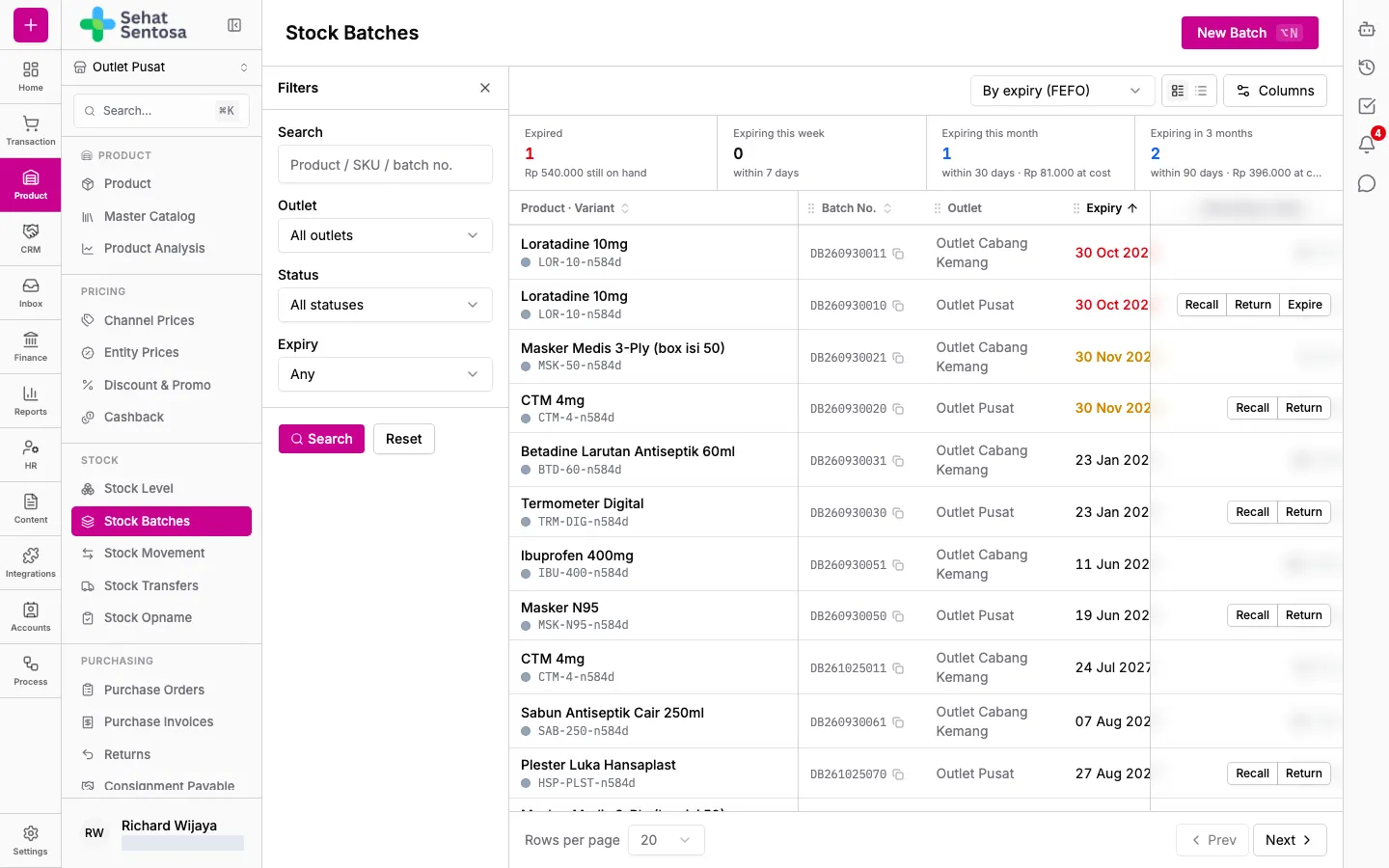
Watching expiry
Section titled “Watching expiry”Four cards above the table cover the active outlet: Expired (past the date but still on hand), Expiring this week, Expiring this month and Expiring in 3 months. Each shows its value at cost. Click a card to list its batches.
In the table, a past expiry date is shown in red and one 30 days away or less in yellow. Remaining / Initial compares what’s left of the batch with its starting quantity.
Use the view picker in the toolbar:
- By expiry (FEFO): all batches, soonest expiry first.
- Grouped by product: batches grouped under their product.
Filtering the list
Section titled “Filtering the list”- Open the filter panel.
- Fill in Search (product, SKU or batch number), and pick Outlet, Status or Expiry (for example Expiring within 30 days).
- Click Search.
Recording a batch manually
Section titled “Recording a batch manually”Use this for opening balances, found stock or purchases made outside the system. Normal purchases are recorded automatically through purchase invoices.
- Click New Batch.
- Pick the Product Variant.
- Enter Batch No. and Expiry Date.
- Enter Qty (base units) and Unit Cost.
- Pick a Supplier (optional) if known.
- Choose a Reason: Manual adjustment (opening balance, found stock) or Off-system purchase.
- Tick Consignment stock if the goods are on consignment.
- Save.
Recalling, returning or expiring a batch
Section titled “Recalling, returning or expiring a batch”For an active batch that still has stock at the active outlet, the actions column shows:
- Recall: recall the batch (for example a BPOM or manufacturer recall).
- Return: return it to the supplier, or to the consignor for consignment stock.
- Expire: mark it expired. Only shown once the expiry date has passed.
- Click the action on the batch row.
- Confirm. The batch’s entire remaining quantity is written off.
Recording or changing batches needs the stock.batch.* permission.