
Customer records (Accounts and Contacts)
The dashboard keeps customer data in the CRM as two kinds of record:
- Contacts: individual people, such as pharmacy customers, doctors, pharmacists or employees.
- Accounts: companies and organizations, such as B2B customers (clinics, other pharmacies), suppliers or partners.
Other parts of the dashboard use these records, including loyalty accounts, sales invoices and purchasing. Open CRM & Sales → CRM → Contacts or Accounts.
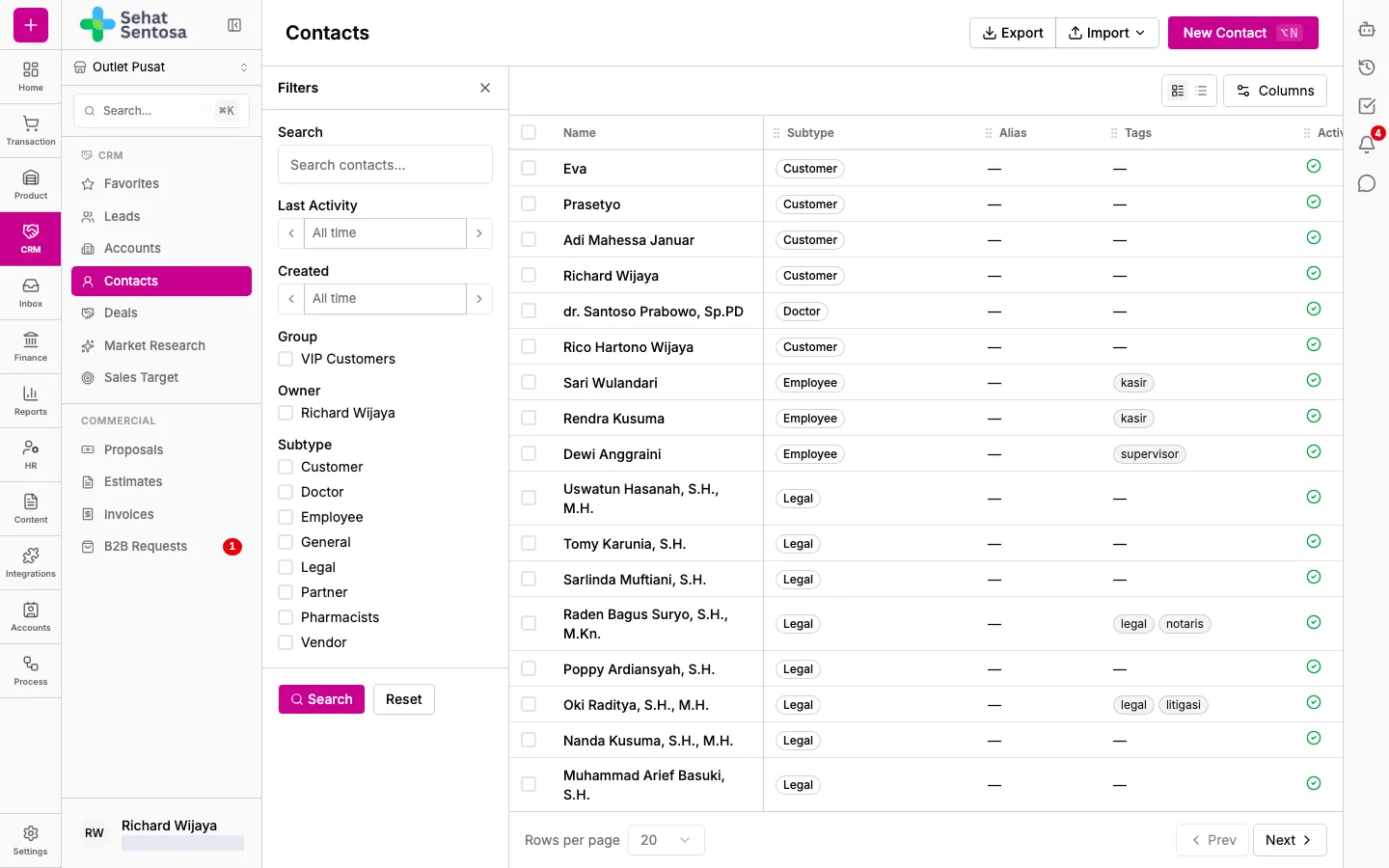
Add a contact or account
Section titled “Add a contact or account”- Open Contacts (or Accounts).
- Click New Contact (or New Account).
- Pick a subtype, for example Customer or Doctor for a contact, or B2B Customer or Supplier for an account.
- Enter the Name (required). For a contact you can also enter Email and WhatsApp.
- Click Create.
The detail page opens. It has tabs such as Overview, Attributes, Relationships, Activity, Notes, Tasks, Files, Invoices and Transactions. Which tabs you see depends on the record type and your access.
Search and import
Section titled “Search and import”- Use the filter panel on the left: fill in Search or pick a Subtype, then apply it.
- Click Import to upload many records at once from a CSV file. Download the template first with Download CSV Template, then choose how to handle Duplicates: Skip duplicates, Update existing or Always create.
- Click Export to download the list.