
View price proposals
A proposal (on screen: penawaran) is a standing price agreement the pharmacy set up for your account: a list of products, prices and minimum quantities. Every purchase request is made against an active proposal.
You can only view proposals in the portal. For price or product changes, contact the pharmacy.
See your proposals
Section titled “See your proposals”- Click Penawaran (Proposals) in the left menu. The subtitle reads “Kesepakatan harga yang tersedia untuk akun Anda.” (price agreements available to your account).
- The table shows the proposal name (Penawaran), Status, issue date (Diterbitkan) and expiry date (Kedaluwarsa).
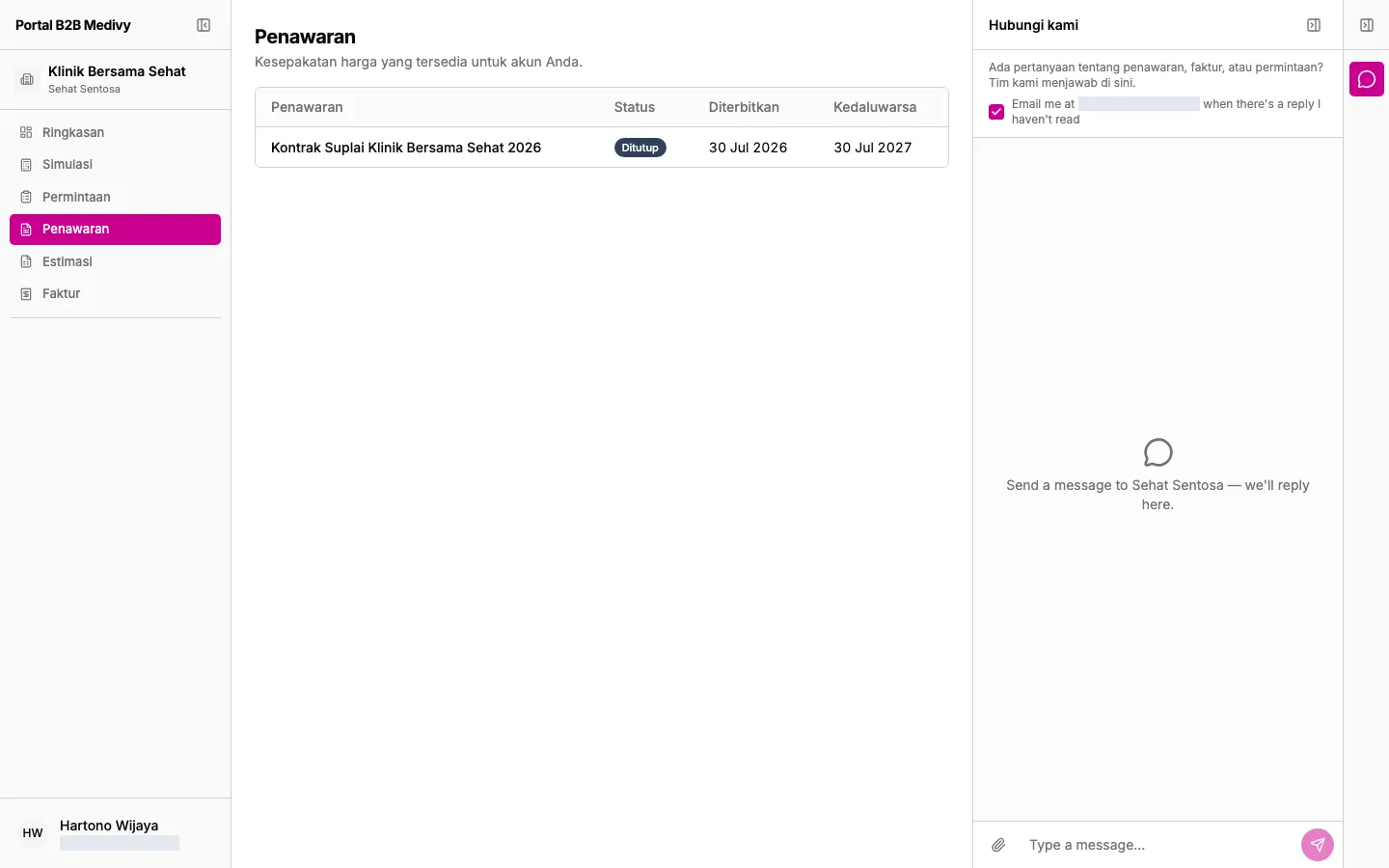
Proposal statuses:
| Status | Meaning |
|---|---|
| Aktif (Active) | In force. You can create purchase requests from it. |
| Kedaluwarsa (Expired) | Its validity period has ended. |
| Ditutup (Closed) | Closed by the pharmacy. |
| Dibatalkan (Cancelled) | Cancelled by the pharmacy. |
Open a proposal
Section titled “Open a proposal”- Click a proposal row.
- The detail page shows the issue date (Diterbitkan), expiry date (Kedaluwarsa) and a product table.
- Products are grouped by product name. Each variant shows its SKU, stock availability (Stok), minimum quantity (Jumlah Min.) and price (Harga). Click a variant’s thumbnail to see its photos larger.
- If the pharmacy added notes, they appear under Catatan (Notes) below the table.
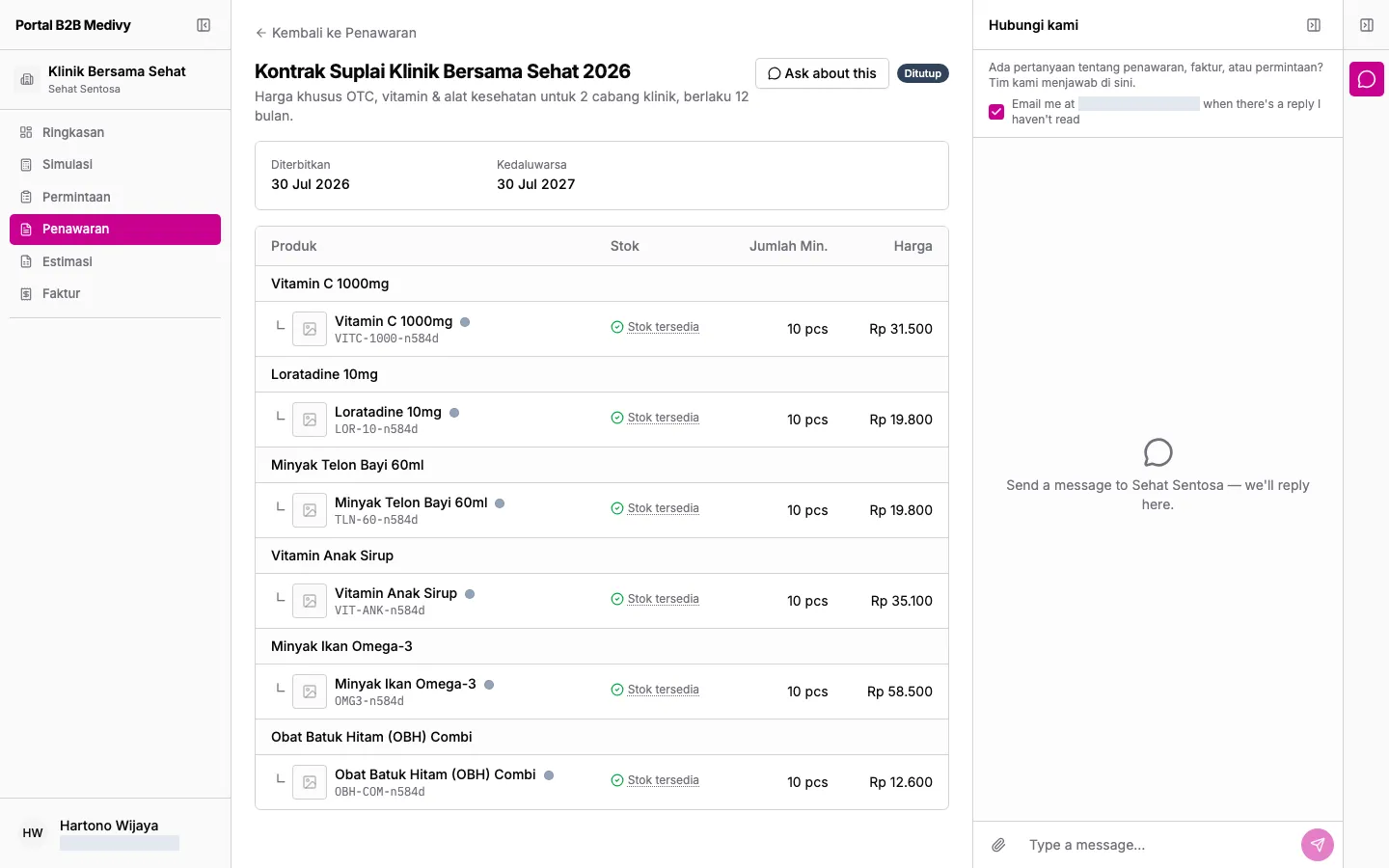
Stock labels (hover a label for an explanation):
- Stok tersedia (In stock): stock is above the minimum level.
- Stok menipis (Low in stock): stock is below the minimum level and may run out soon.
- Stok habis (Out of stock): currently unavailable.
To go back to the list, click Kembali ke Penawaran (Back to Proposals). To order from this proposal, open Simulasi (see Create a purchase request).