
Message the pharmacy
The Hubungi kami (Contact us) panel on the right of the portal is for questions to the pharmacy’s team. It’s on every page, as long as the pharmacy has turned messaging on.
Open the chat
Section titled “Open the chat”- Click the chat icon in the far-right bar. A red number on it shows unread messages.
- The Hubungi kami panel opens, with the note “Ada pertanyaan tentang penawaran, faktur, atau permintaan? Tim kami menjawab di sini.” (questions about a proposal, invoice or request? Our team answers here).
- Write your message and send it.
- To close the panel, click the panel icon at the top right.
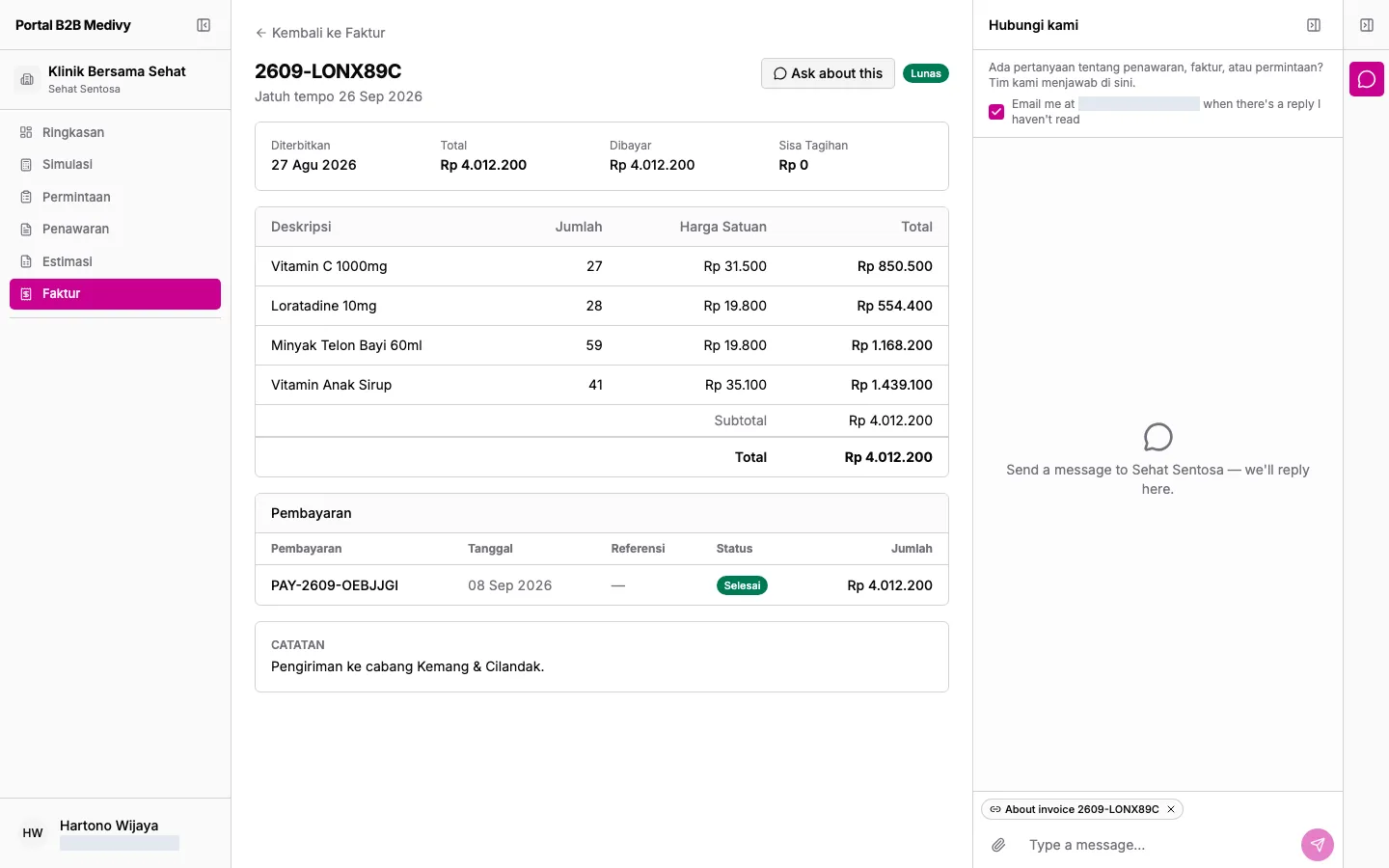
The pharmacy’s replies appear in the same panel. Automatic replies are marked Automatic reply. To see older messages, click Load earlier messages.
Ask about a specific document
Section titled “Ask about a specific document”- Open the proposal, invoice or request you have a question about.
- Click Ask about this at the top right.
- The Hubungi kami panel opens with that document attached. Type your question and send it.
The pharmacy sees which document you mean. Attached documents in the chat can be clicked to open them.
Attach files
Section titled “Attach files”Click the attachment icon in the message box to add files: JPG, PNG, WEBP or PDF, up to 1 MB each.
Email notifications
Section titled “Email notifications”At the top of the panel, tick Email me … when there’s a reply I haven’t read to get an email when a reply is waiting. Untick it to stop the emails.