
Creating a purchase order (PO)
A purchase order (PO, or surat pesanan) is an order for goods from a supplier. A PO is created for the active outlet, approved by email by the outlet’s responsible pharmacist, then marked as ordered. Goods that arrive are recorded on a purchase invoice.
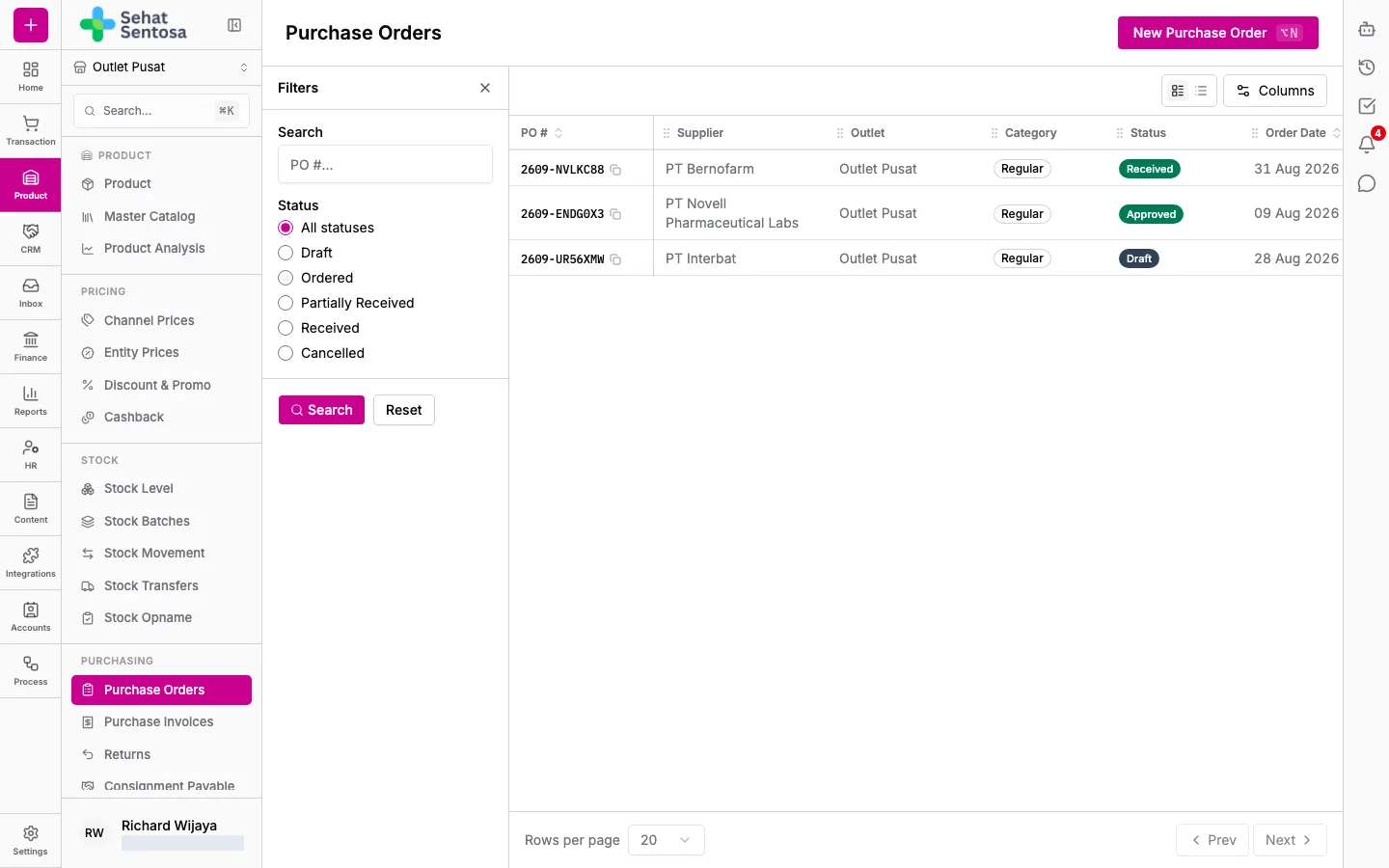
Menu: Product & Inventory → Purchasing → Purchase Orders.
Before you start
Section titled “Before you start”- The supplier is registered as an Account (see Managing suppliers).
- The outlet has a Responsible Pharmacist with an email address (set in Account & Settings → Workspace → Outlet). Without one, a PO can’t be submitted for approval.
Create a PO
Section titled “Create a PO”- Make sure the right outlet is selected in the outlet switcher.
- Open Purchase Orders and click New Purchase Order.
- Fill in the form:
- Supplier.
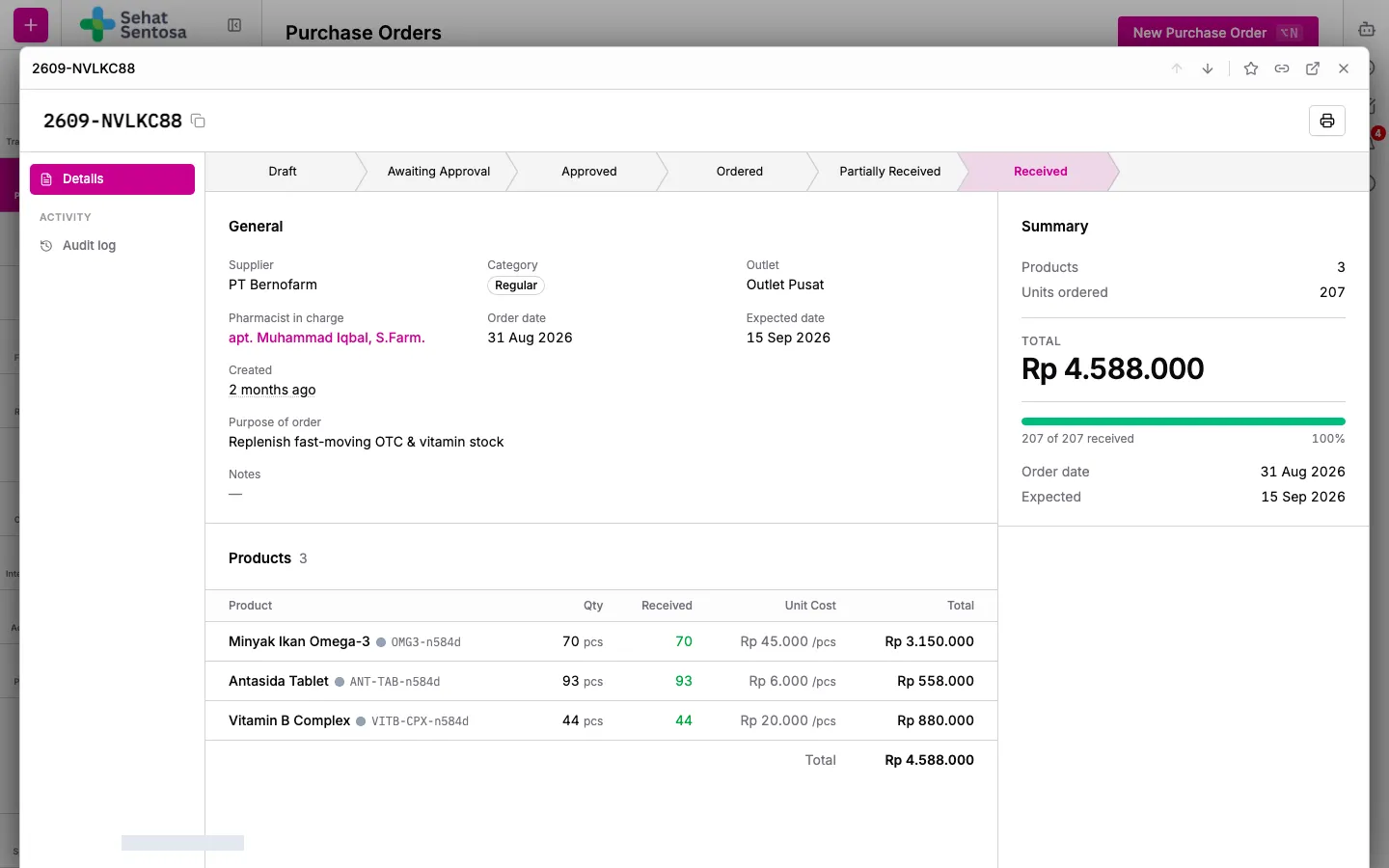
- Pharmacist in Charge — the pharmacist responsible for this PO.
- Category — Regular, Consignment or Other.
- Order Date and Expected Date.
- Notes, if needed.
- Save. The PO opens as a Draft.
Add products
Section titled “Add products”- On the PO page, in the Products section, click Add Product.
- Choose the Product Variant and Unit, and enter the Qty.
- Enter the Unit Cost and any Discount, then save.
- Repeat for each product. In the Planning section you can also fill in the Purpose of Order.
Approval and ordering
Section titled “Approval and ordering”- Click Submit for Approval. Medivy emails an approval link to the outlet’s responsible pharmacist, and the status becomes Awaiting Approval.
- The pharmacist opens the link, reviews the PO, and chooses Approve or Reject (a reason is required to reject).
- Once Approved, click Mark Ordered after you send the PO to the supplier.
- If Rejected, click Revise (back to Draft), fix it, and submit again.
If the pharmacist hasn’t responded, use Resend Approval Email.
When the goods arrive
Section titled “When the goods arrive”While the PO is Ordered or Partially Received, click Create Invoice to record the supplier’s invoice against it. The PO moves to Partially Received or Received depending on how much has been received.