
Respond to estimates
An estimate (on screen: estimasi) is a quotation the pharmacy sends to your account. Unlike a proposal (the standing price agreement under Penawaran), an estimate is for specific quantities and waits for your answer: accept or reject.
See your estimates
Section titled “See your estimates”- Click Estimasi (Estimates) in the left menu.
- The table shows the estimate number (No. Estimasi), name (Nama), Status, expiry date (Kedaluwarsa) and Total.
Estimate statuses:
| Status | Meaning |
|---|---|
| Dikirim (Sent) | Sent by the pharmacy, waiting for your response. |
| Diterima (Accepted) | You accepted it. |
| Ditolak (Rejected) | You rejected it. |
| Kedaluwarsa (Expired) | Its validity period has ended. |
Accept or reject an estimate
Section titled “Accept or reject an estimate”- Click an estimate with status Dikirim.
- Check the issue date (Diterbitkan), expiry date (Kedaluwarsa), Total and the product table. Each row shows quantity (Jumlah), price (Harga), Cashback and net amount (Bersih).
- In the Menunggu tanggapan Anda (Awaiting your response) box, choose:
- Accept to accept the quotation;
- Reject if it doesn’t suit you.
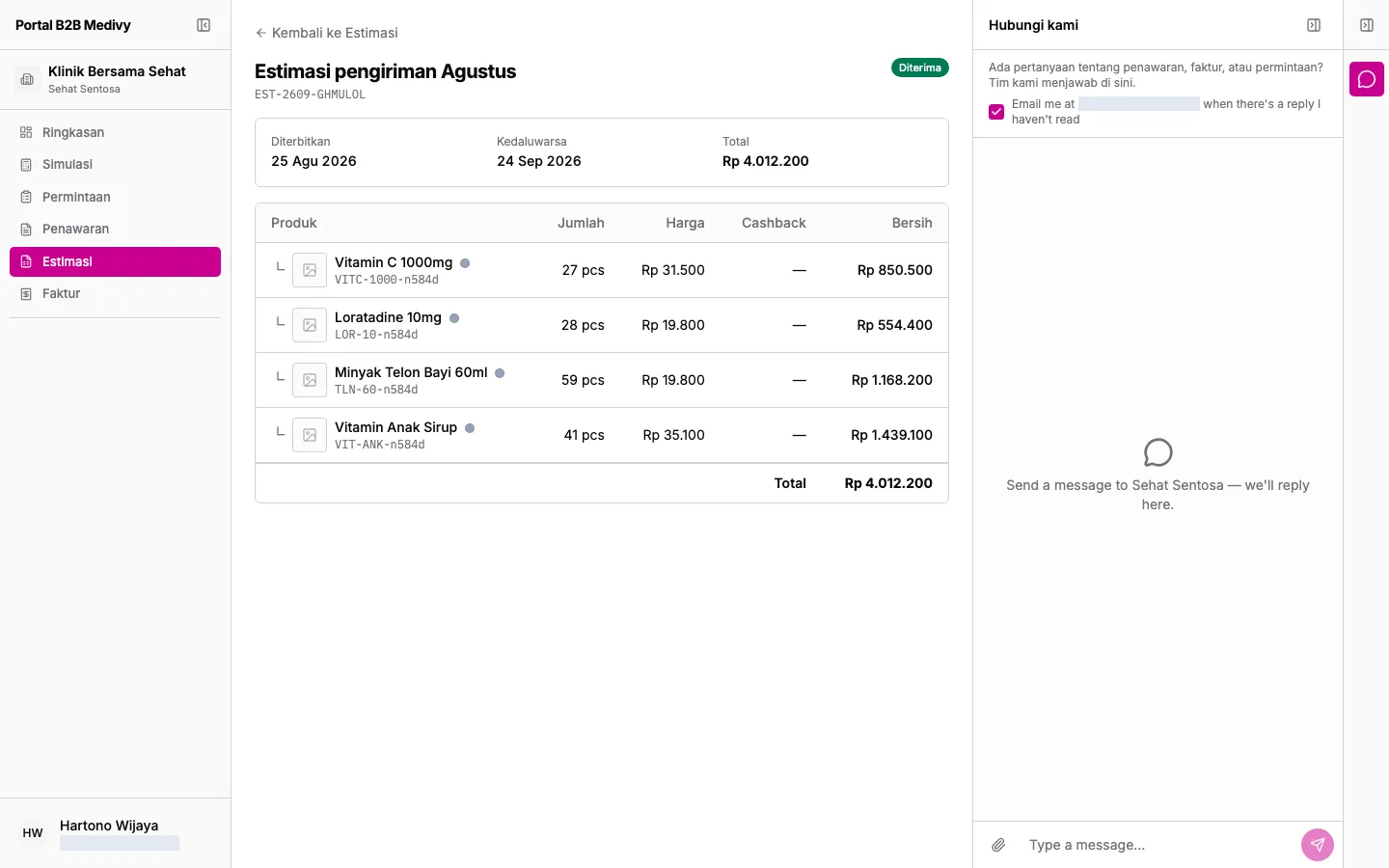
The status changes as soon as you choose.