
Correcting a purchase invoice
Once goods are received, a purchase invoice is locked. If something was entered wrongly, the invoice detail page offers two ways to fix it.
Fix a batch number or expiry date
Section titled “Fix a batch number or expiry date”Use this when only the batch number or expiry date is wrong. Qty, cost and the journal don’t change.
- Open the received invoice.
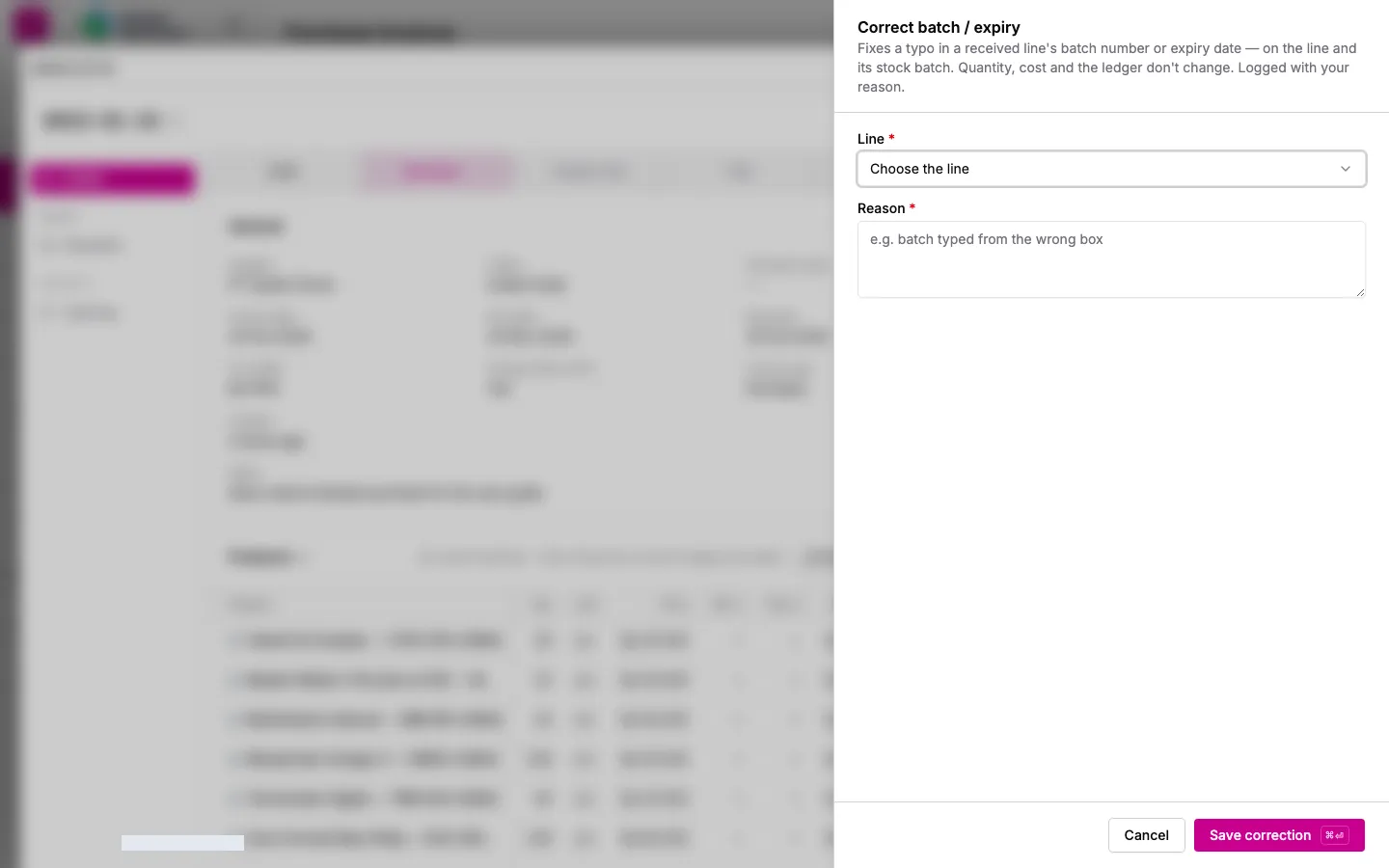
- In the product lines section, click Correct batch / expiry.
- Choose the Line and enter the correct Batch number and/or Expiry date.
- Enter a Reason, e.g. “batch typed from the wrong box”.
- Click Save correction. The linked stock batch is updated too, and the change is recorded in the audit log.
Void & re-enter
Section titled “Void & re-enter”Use this when the supplier, product, qty or unit is wrong.
- Open the received invoice.
- Open the actions menu in the header and choose Void & re-enter….
- Read what will happen: every batch from this invoice goes back to zero, the journal is reversed with today’s date, and the PO’s received quantities are rolled back.
- Fill in What was wrong?, e.g. “received 8 boxes, entered 18”.
- Click Void & create corrected draft.
The original invoice is kept as Voided (read-only). A copy opens as a new draft with the same number and lines. Correct it and receive the goods again.
Voiding needs purchasing.invoice.correct. It is separate from full purchasing access (purchase.*); owners and admins have it automatically.