
View invoices and payments
Faktur (Invoices) lists every bill the pharmacy issued to your account, with its status and payment history.
See your invoices
Section titled “See your invoices”- Click Faktur (Invoices) in the left menu. The subtitle reads “Tagihan untuk akun Anda beserta status pembayarannya.” (bills for your account and their payment status).
- The table shows the invoice number (No. Faktur), Status, due date (Jatuh Tempo), Total and amount paid (Dibayar).
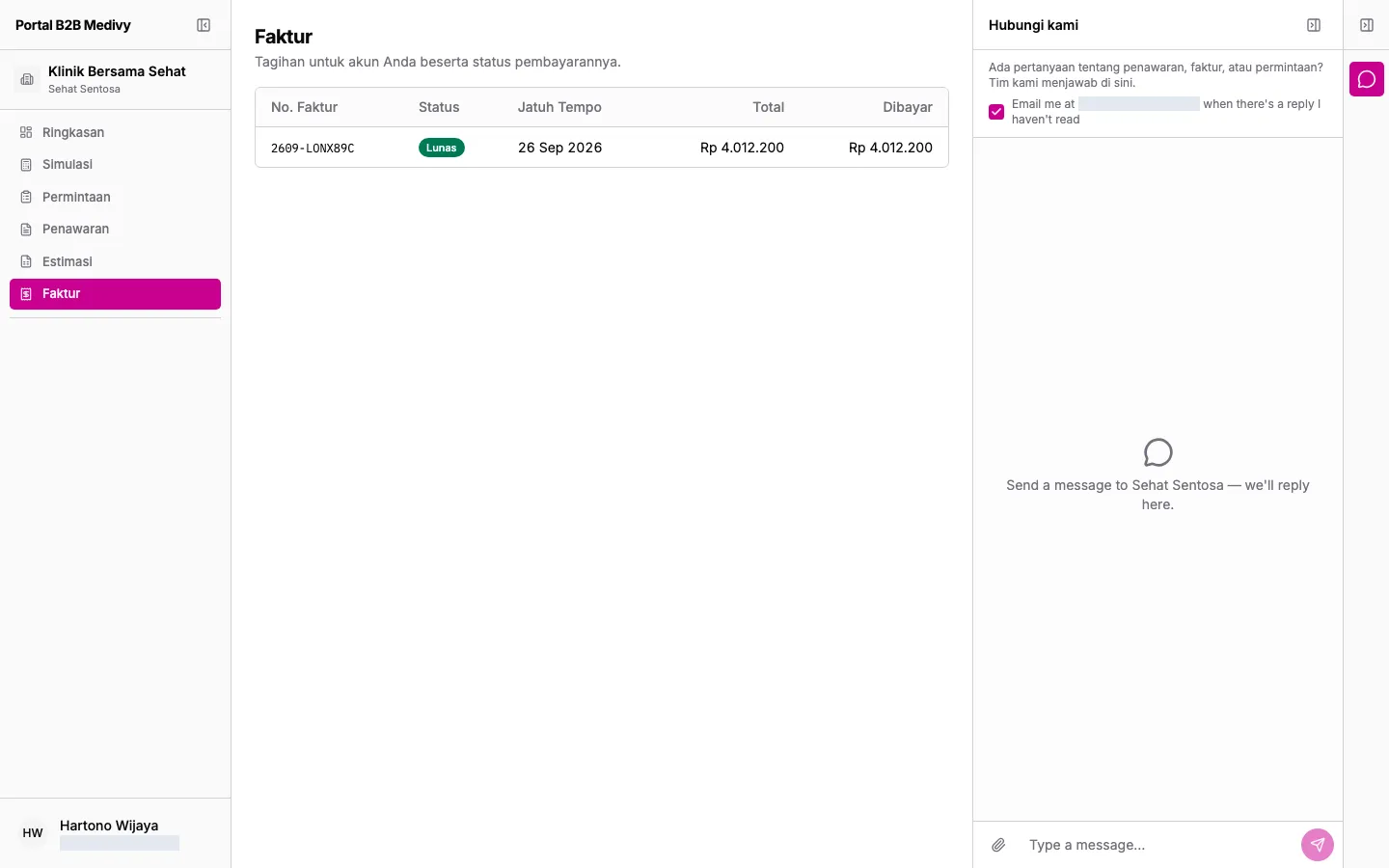
Invoice statuses:
| Status | Meaning |
|---|---|
| Dikirim (Sent) | The invoice has been sent. |
| Menunggu pembayaran (Awaiting payment) | Waiting for payment. |
| Dibayar sebagian (Partially paid) | Part of it has been paid. |
| Lunas (Paid) | Paid in full. |
| Lewat jatuh tempo (Overdue) | Past the due date and not fully paid. |
| Dibatalkan (Cancelled) | Cancelled by the pharmacy. |
Open an invoice
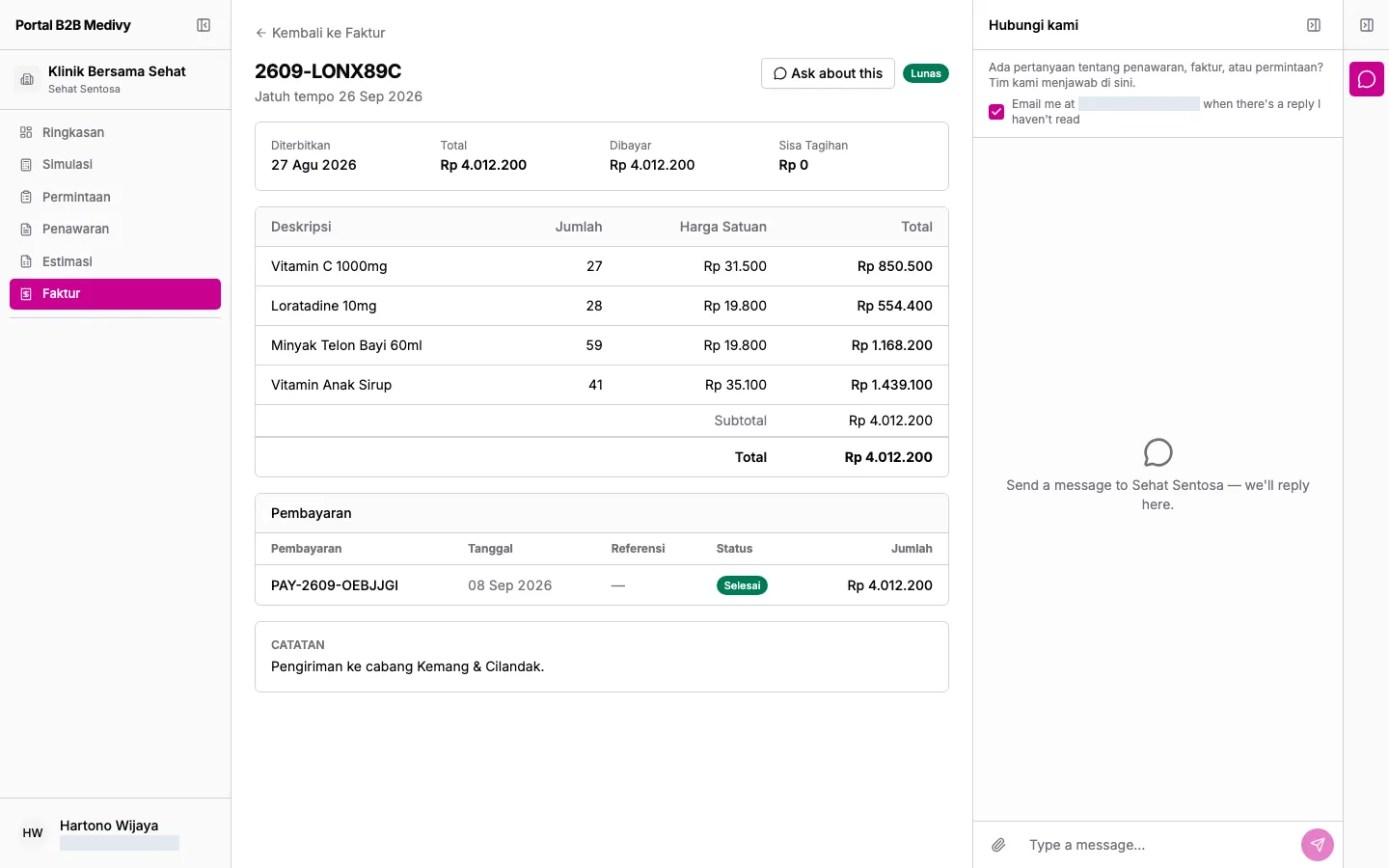
Section titled “Open an invoice”- Click an invoice. Its due date is shown under the invoice number.
- The top box shows the issue date (Diterbitkan), Total, amount paid (Dibayar) and balance (Sisa Tagihan). The balance is red while anything is still owed.
- The line table has Deskripsi (Description), Jumlah (Qty), Harga Satuan (Unit Price) and Total, followed by Subtotal, Diskon (Discount), Pajak (Tax) and Total.
- Once payments exist, the Pembayaran (Payments) section lists each payment’s number, date (Tanggal), reference (Referensi), Status (Menunggu pending, Selesai completed, or Gagal failed) and amount (Jumlah).
Pay by virtual account
Section titled “Pay by virtual account”If the pharmacy offers a virtual account for this invoice and there’s a balance left, you see a Pay via … virtual account box.
- Copy the virtual account number with the copy button (Salin) next to it.
- Transfer exactly the amount shown from any bank, before the deadline if there is one.
- The payment is confirmed automatically. The invoice status and the Pembayaran section update.
The portal doesn’t have a download or print button for invoices yet. If you need the invoice document, ask in the chat or ask your account rep.