
Online payments
With online payments, customers pay your invoices through a payment link: QRIS, card, virtual account or e-wallet. The invoice is marked paid automatically when the payment comes in.
Medivy sets up the payment provider with you; your organization never handles provider API keys. This page is for checking status and history only; there’s nothing to configure here.
Open Account & Settings → General → Online Payments.
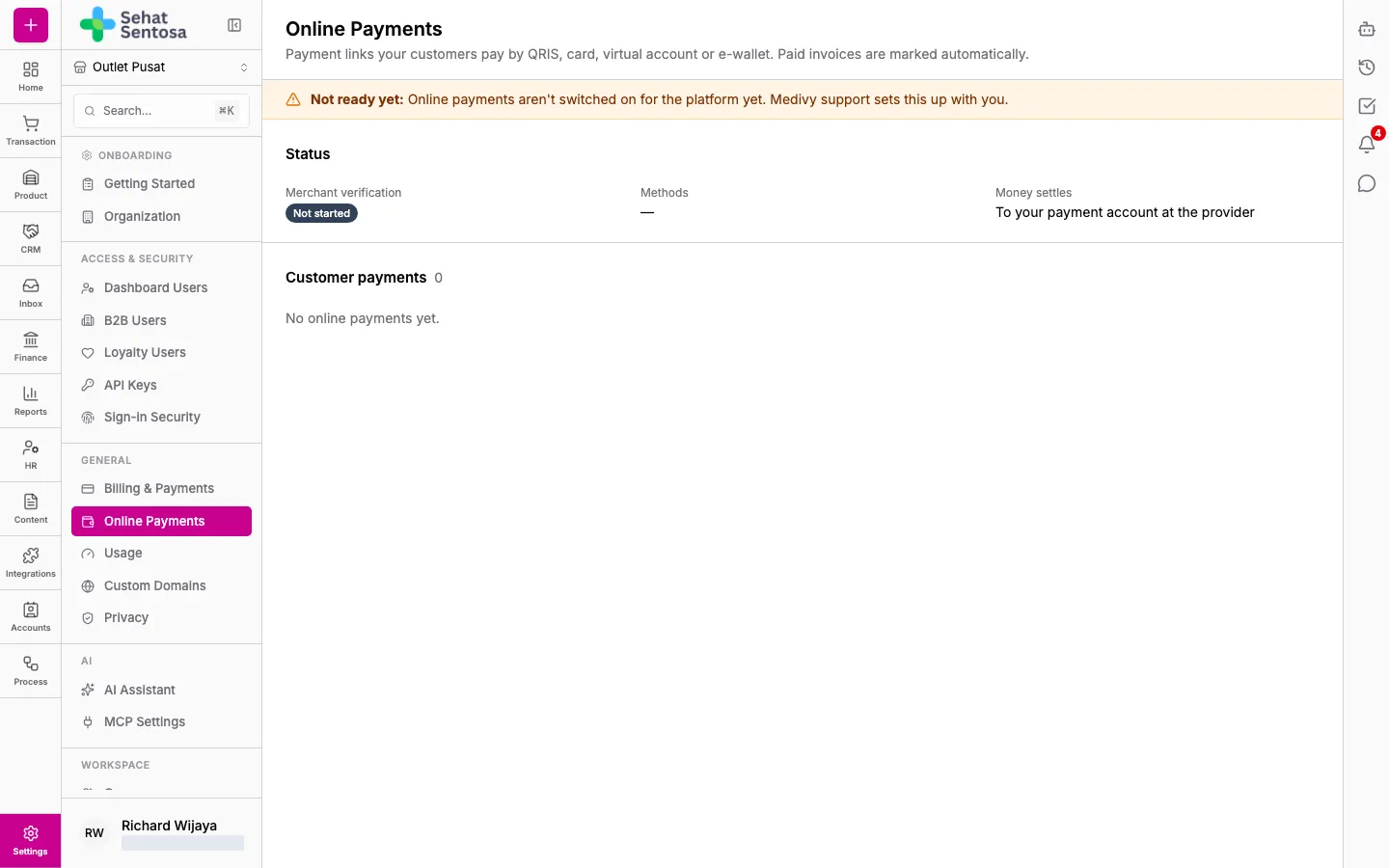
Readiness
Section titled “Readiness”One of these notices shows at the top:
- Ready. Your organization can take online payments. Create a payment link from any unpaid invoice.
- Not ready yet: with the reason. Medivy support sets this up with you.
The Status section shows:
- Merchant verification: Not started, In review, Verified or Rejected.
- Methods: the payment methods that are on, such as QRIS, Card, Virtual account, E-wallet.
- Money settles: where the money goes, either to your payment account at the provider or to your bank account (the account number is masked).
- Note from Medivy: a note from Medivy, for example a verification document that’s still missing.
Customer payments
Section titled “Customer payments”Customer payments lists every invoice payment link: Created, Invoice, Amount, the Method the customer used, Paid (when they paid) and Status (such as succeeded, pending, failed, expired or refunded).
Create a payment link
Section titled “Create a payment link”Payment links are created on the invoice, in its Payment channel section, with Create Payment Link. See Customer invoices and payments.